![wordmark-white.svg]](https://help.rafflebox.ca/hubfs/template-files/wordmark-white.svg)
1. Login to the Rafflebox dashboard (https://dashboard.rafflebox.ca/)
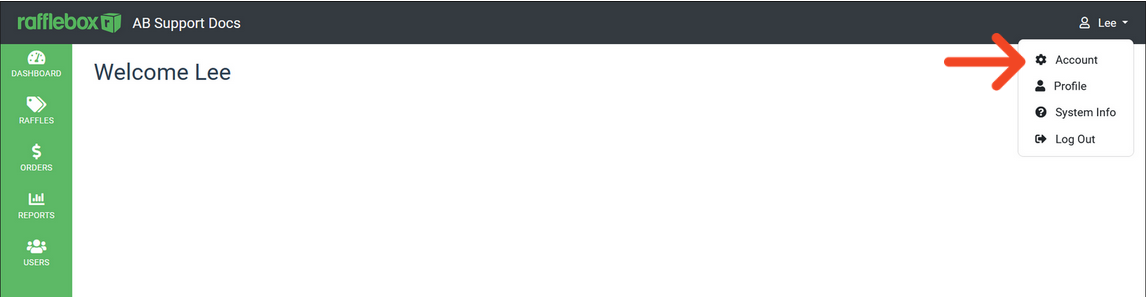
2. Select your username from the top right corner. Select Account Settings.
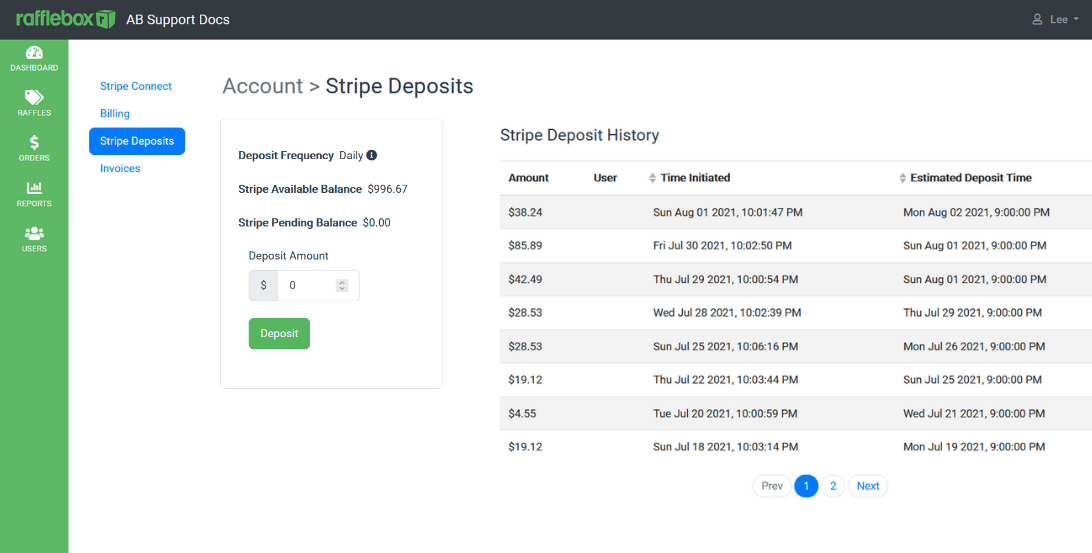
3. Select the Stripe Deposits tab.
1. Login to the Rafflebox dashboard (https://dashboard.rafflebox.ca/)
2. Select your username from the top right corner. Select Account Settings.
3. Select the Stripe Deposits tab.