![wordmark-white.svg]](https://help.rafflebox.ca/hubfs/template-files/wordmark-white.svg)
NOTE: Only users with Account Owner status will have access to this.
- Login into the Dashboard https://dashboard.rafflebox.ca/
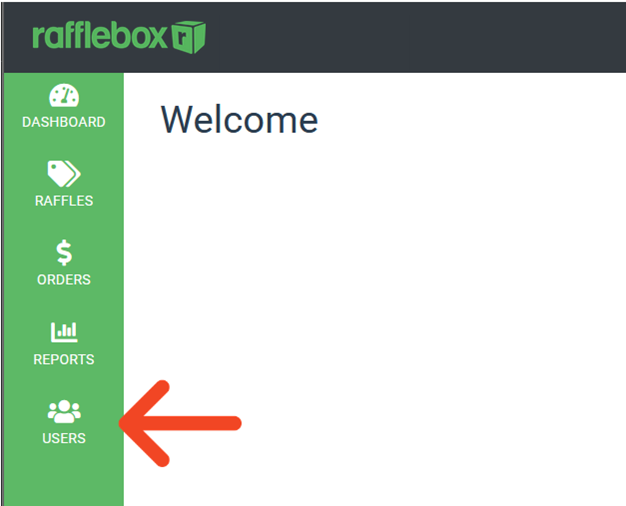
- On the left-hand side of the site (main menus), select Users
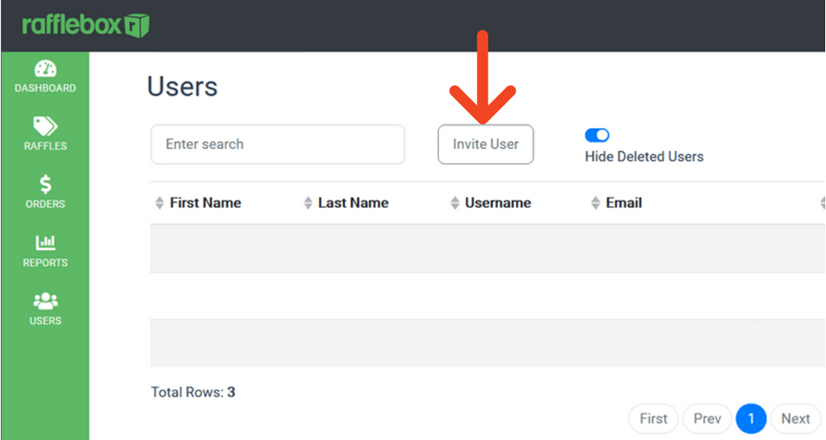
- From the Users page, select “Invite User”
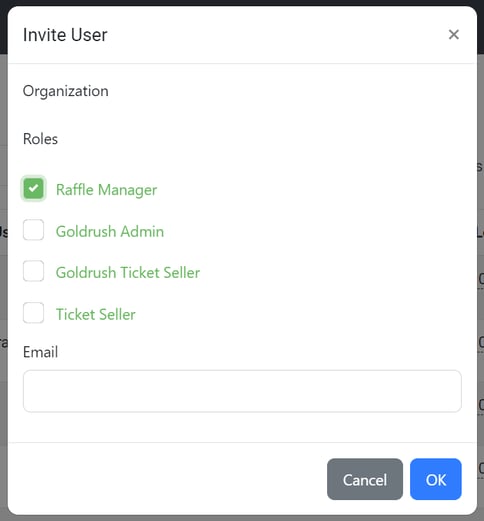
- You will be presented with a pop-up window. Select the appropriate role.
Enter their e-mail address at the bottom and click "OK". The user will be sent an e-mail with instructions on how to register.
User roles:
Raffle manager: Will have access to the following tabs of the dashboard: Raffles, Orders, Reports.
Ticket Seller: Can only be used for In-Venue sales devices
Goldrush admin / seller: Only applicable for Goldrush raffles